Paper-inspired display utility for macOS
PaperDisplay
Make your display feel like paper
PaperDisplay brings paper-inspired tone and texture to your Mac, making reading, writing, and everyday work feel softer and calmer while keeping colorful content natural.
See each paper style
Switch between paper styles and compare how the same screen feels with different paper surfaces.
Writing Paper
Clean, even, and low-distraction. A restrained everyday paper feel designed for writing, reading, and general work.
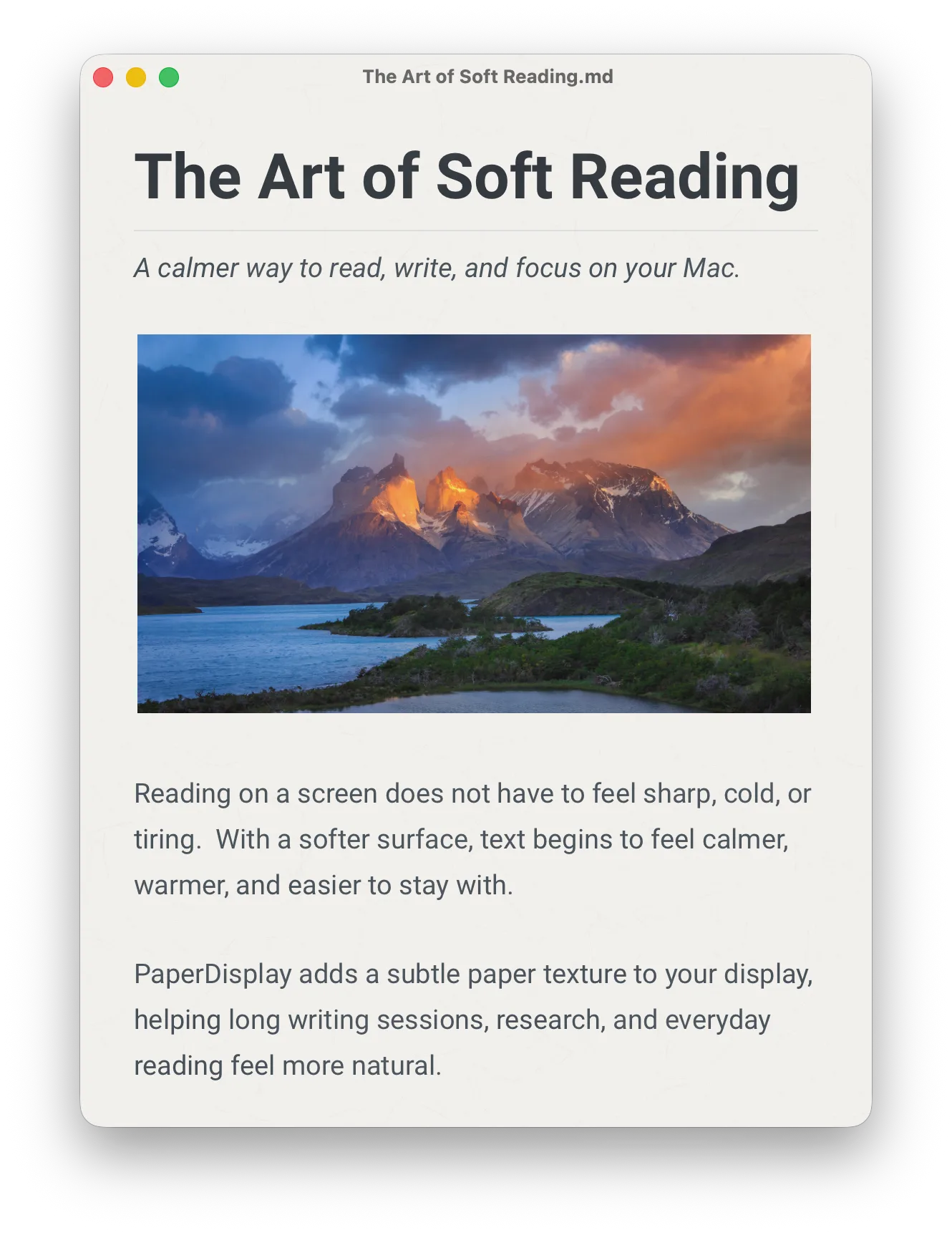
Paper surfaces, not just warmer colors
PaperDisplay is built around the feeling of paper. Each style has its own tone, texture, and visual character.
Gentler long-form reading
Make articles, documentation, PDFs, notes, and web pages feel calmer during long sessions.
A quieter writing space
Give editors, documents, and writing apps a softer background that feels closer to paper.
Color-aware by design
PaperDisplay aims to preserve colorful content instead of covering the whole screen with a heavy single-color tint.
Choose the paper that fits the moment
Switch between quiet everyday paper, soft textures, warm pages, and stronger printed-paper moods.
Customize the paper feel
Choose a paper style, adjust the paper color, and change texture strength without turning the app into a calibration tool.
Comfort across light and dark interfaces
PaperDisplay adapts its paper effect to macOS appearance so bright areas soften while dark interfaces keep their contrast.
FAQ
What is PaperDisplay?
PaperDisplay is a macOS app that gives your display a paper-inspired look. It adjusts the screen tone and adds subtle paper texture, so everyday work feels softer and less digital.
Is PaperDisplay just a blue-light filter?
No. Blue-light and color-temperature tools usually shift the whole screen warmer. PaperDisplay is designed around paper surfaces, combining paper tone, texture, and style-specific rendering while preserving colorful content as naturally as possible.
Will PaperDisplay make colors look wrong?
PaperDisplay changes the visual character of the screen, so colors will feel softer and more paper-like. But it is designed to avoid simply washing everything into one tint. Images, icons, websites, and app interfaces should remain recognizable and usable.
What is Writing Paper?
Writing Paper is the default paper style. It is clean, even, and low-distraction, with a subtle texture that works well for writing, reading, and daily work.
What paper styles are included?
PaperDisplay includes Writing Paper, Xuan Paper, Parchment, Frosted, Newsprint, and more styles. Each style has its own tone and texture, from quiet everyday paper to stronger vintage paper surfaces.
Which paper style should I start with?
Start with Writing Paper if you want the most balanced everyday look. Try Frosted for a softer screen, Xuan Paper for a lighter fiber texture, Parchment for a warm old-page feel, and Newsprint for a rougher printed-paper character.
Can I customize the paper look?
Yes. You can choose a paper style, adjust the paper color, and change texture strength. The goal is to make the screen feel comfortable without turning settings into a calibration tool.
Does PaperDisplay work in dark mode?
Yes. PaperDisplay adapts to macOS light and dark appearances. In dark mode, the effect stays more restrained so dark interfaces keep their contrast.
Does PaperDisplay read or record my screen?
No. PaperDisplay does not read screen pixels, take screenshots, record video, or send screen content anywhere. Your paper style settings are stored locally on your Mac.
Why do the promotional screenshots show the effect if normal screenshots may not capture display adjustments?
PaperDisplay includes paper tone and texture behavior that normal system screenshots may not fully capture. The promotional images are rendered from the same paper style logic to show how each paper surface is intended to feel.
What if I need exact colors in creative or photo software?
PaperDisplay includes an App Exclusion feature. You can add color-critical software such as Photoshop, Lightroom, or Final Cut Pro to your exclusion list. PaperDisplay automatically steps aside when those apps are active, and restores your paper surface when you switch back to reading or writing.
Does PaperDisplay support external monitors? Can I run it only on specific screens?
Yes. PaperDisplay fully supports multi-monitor setups. You can choose exactly which connected displays run the paper effect, maintaining consistent tactile warmth across all screens or keeping it solely on your primary reading display.
Make your Mac feel easier to look at
Choose a paper style, adjust the paper color and texture strength, and let your display settle into a quieter visual surface.