FCStdPreview
The missing Quick Look & Thumbnail provider for FreeCAD files on macOS
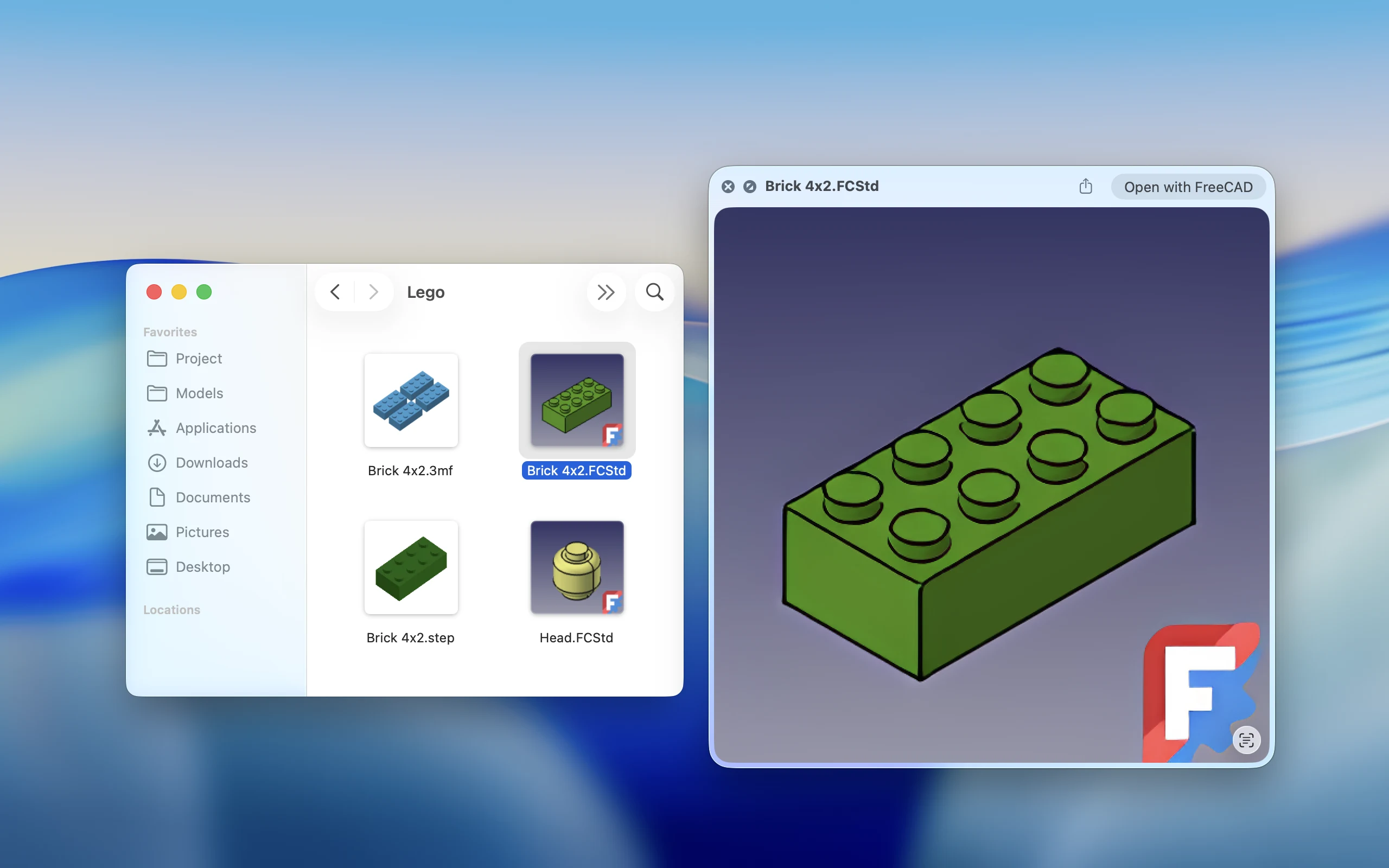
Find your FreeCAD files at a glance
Browse saved model previews in Finder without opening every project.
Instant Thumbnails
See the preview stored inside each FCStd file directly in Finder.
Quick Look Support
Press the space bar to inspect a larger preview without launching FreeCAD.
Private by Design
Your files stay on your Mac. Preview extraction and optional enhancement happen locally.
Common Questions
Learn which files are supported and how FCStdPreview creates Finder previews.
Q1: Which files does FCStdPreview support?
A: FCStdPreview supports .FCStd project files and displays the thumbnail already saved inside each file.
Q2: Why doesn’t my FCStd file show a preview?
A: The file may not contain a saved thumbnail. Open the project in the application that created it, save it again, and then return to Finder.
Q3: Does FCStdPreview render the complete 3D model?
A: No. FCStdPreview displays the preview image saved inside the project file. It does not open or render the complete 3D model.
FreeCAD files, at a glance
Add native thumbnails and Quick Look previews to your Finder workflow.
Contact Us
For technical support, questions, feedback, or feature requests, contact us at whimwild.com@gmail.com.
Developer: Shanghai Adaila Technology Ltd., Co.