1. The Problem: A Sea of Blank Icons
If you are into 3D printing, your Downloads folder probably looks like a sea of generic, blank white icons-or an endless row of green logos if you have Bambu Studio installed.
While macOS supports STL files natively, Finder is completely blind to the actual content of modern .3MF files. Whether it's a blank sheet or a generic app logo, you still have to open heavy software like Bambu Studio or PrusaSlicer just to check what Model_v2_final.3mf actually looks like. It is frustrating, slow, and kills your workflow.
2. The Solution: MakersPreview
We built MakersPreview to solve this simply and elegantly. It is a native QuickLook plugin designed specifically for macOS, bringing your 3D files to life.
- Native Performance: It feels like it came with your Mac. No configuration, no Xcode, no terminal commands. Just install and it works.
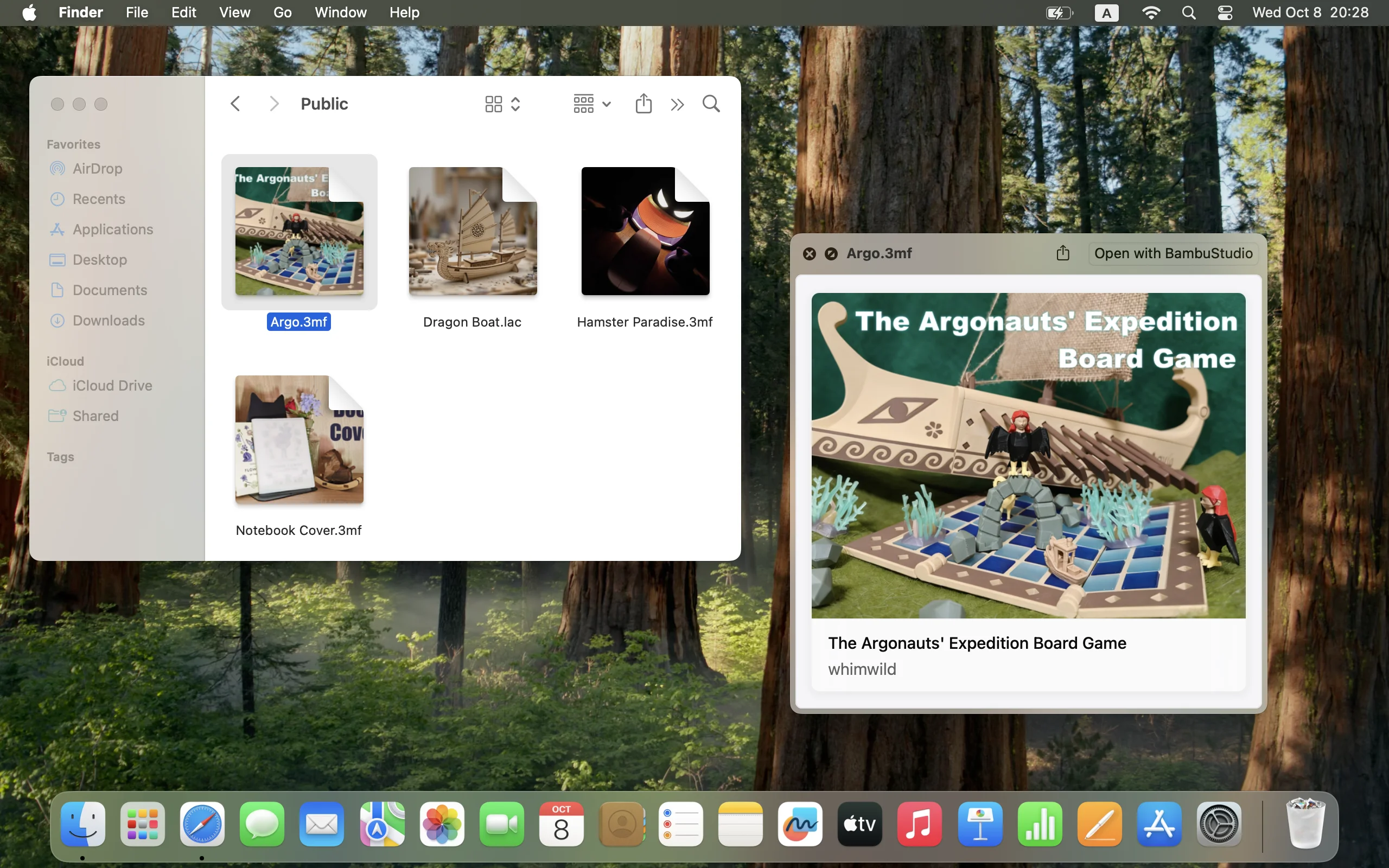
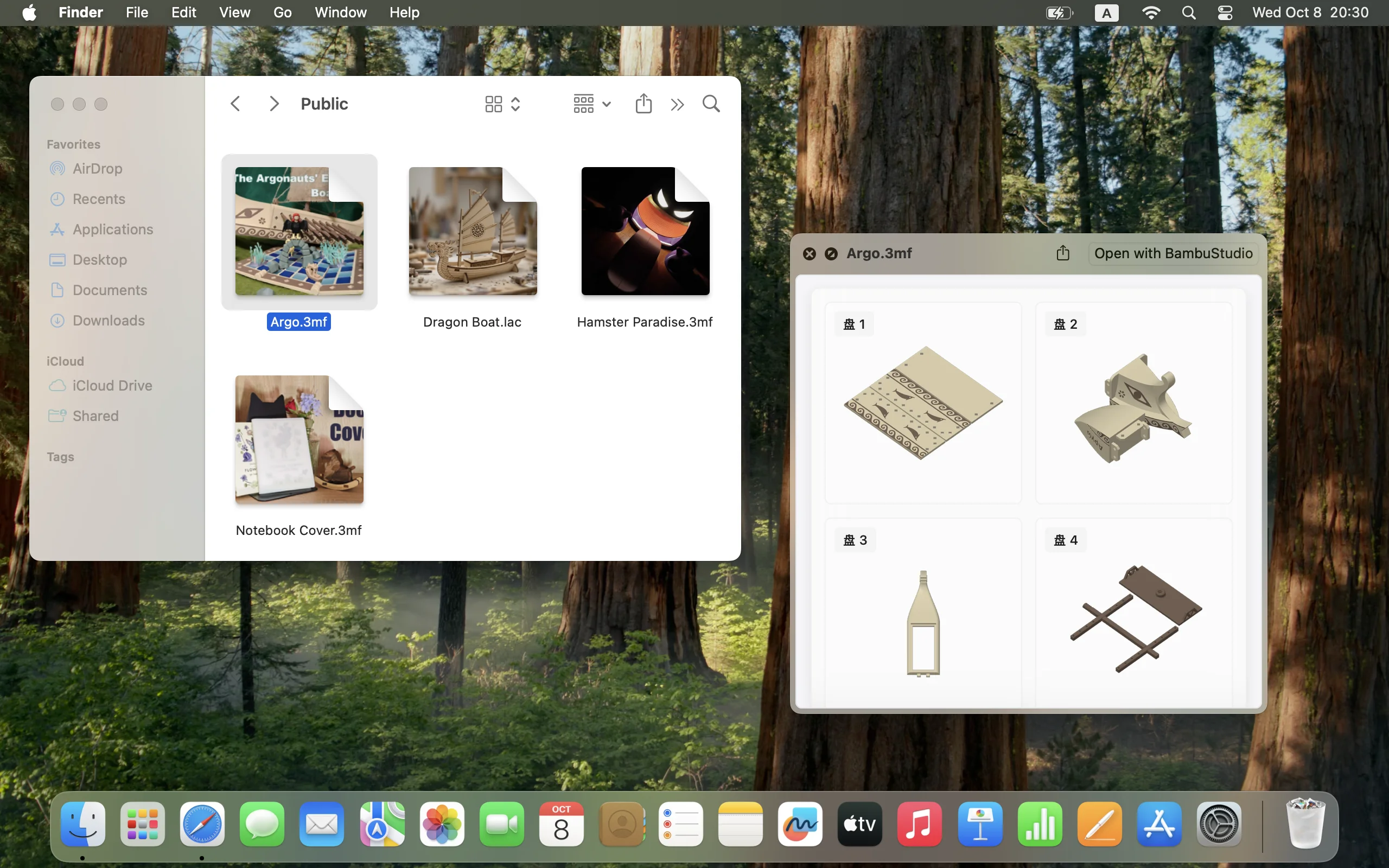
- Crystal Clear Previews: Say goodbye to generic icons. We render crisp, high-quality thumbnails of your actual models with a transparent background.
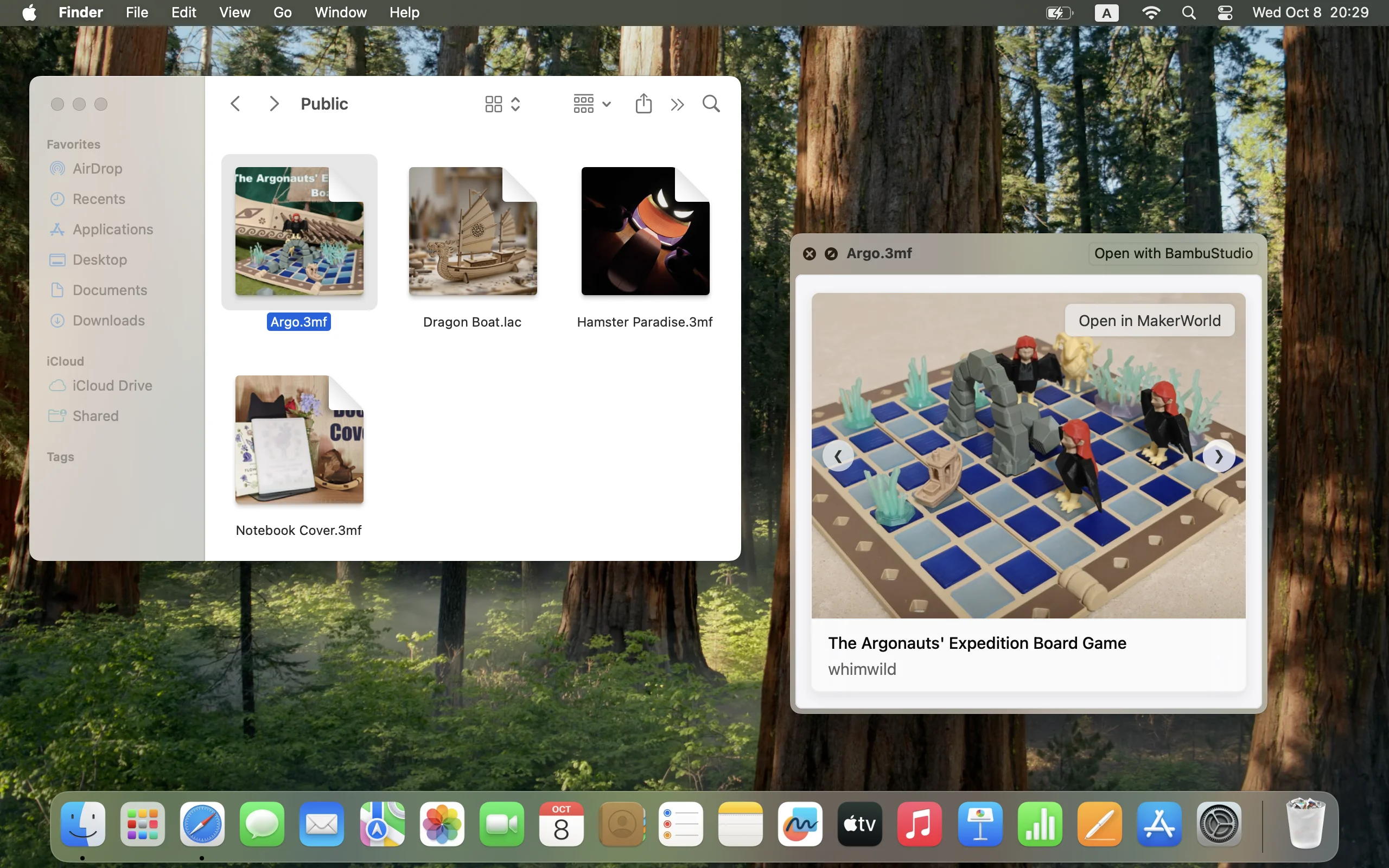
- MakerWorld Integration (Exclusive): Downloaded a model from MakerWorld? We display the original cover art instead of just a raw mesh. Plus, simply press Spacebar to find a direct link back to the model page-perfect for checking updates or print profiles.
- Broad Support: Whether you use Bambu Studio, OrcaSlicer, or PrusaSlicer, your .3MF files are now fully visible in Finder.
3. Screenshots
A peek at how Finder transforms once MakersPreview is installed.
4. Get it now
Stop guessing filenames. Upgrade your Finder today.